
Emergency Notification Systems
Emergency notification systems are designed to close that gap by delivering critical alerts through multiple channels, including PA speakers, mobile devices, email, SMS, and desktop notifications. Their core purpose is to safeguard people and support uninterrupted operations during crisis events. Rapid, reliable emergency communication ensures essential messages reach everyone promptly when it matters most.
Unlike general communication tools, emergency notifications are purpose-built to be fast, reliable, and attention-grabbing in urgent situations. For example, a loudspeaker announcement in a crowded space will be noticed instantly, whereas a text message may go unnoticed for hours.
Admoveo Systems offers PoE and Wi-Fi PA speakers for emergency alerts in schools, businesses, and government facilities. Our motto—“Nothing Counts Like Service”—shows our commitment to reliable, well-supported systems when it matters most.
This guide introduces how emergency notification systems work and their main parts.
- How these systems work and what components they include
- Key features that matter for safety and daily operations
- Benefits for different types of organizations
- Planning, designing, and implementing a system—plus why engaging leadership and key staff is vital for effective emergency communication
- How to choose the right provider and get started
Emergency notification systems also have a crucial role in supporting public alert and warning efforts, helping ensure community-wide safety by distributing timely alerts using multiple channels.
With your organization's needs in mind, let’s explore what an emergency notification system actually is and how it can strengthen your safety protocols.
An emergency notification system is a communication platform that enables organizations to rapidly broadcast warnings and instructions to defined areas—such as a school campus, office, facility, or municipal complex. The goal is to deliver emergency information to the right people, in the right places, at the right time.
These systems typically combine multiple channels to increase reach:
- PA speakers (indoor and outdoor) for immediate audio alerts
- Pre-recorded emergency messages for consistent, compliant instructions
- Live voice announcements for live updates
- Text messages and emails for off-site notification
- Desktop alerts for computer users
- Mobile app notifications for smartphones
A typical Admoveo system includes indoor ceiling speakers for offices and classrooms. It also has weatherproof outdoor horn speakers for playgrounds and parking lots, paging amplifiers, bell and clock controllers, and integration points for existing phone and security systems.
Common use cases include severe weather events like tornadoes and hurricanes, active shooter situations, fire evacuations, chemical spills, lockdowns, utility outages, and campus-wide announcements.
How Emergency Notification Systems Work
The basic emergency notification workflow is as follows: an authorized person triggers an alert, composes or selects a message, sends it across multiple channels, and the system records key details for documentation and review.
Let’s break down the key components that make this possible.
Core System Components
Central notification server or cloud system: The main computer or web-based platform that controls the entire notification system. It manages who has access (user permissions), the library of preset messages, how areas are organized (zone definitions), and how messages are delivered (distribution rules). Modern systems provide web-based control panels that authorized staff can use from any computer or device with internet access.
PoE and Wi-Fi speakers: The end devices that actually produce sound. PoE speakers plug into standard Ethernet cables that supply both power and audio (per the IEEE 802.3af/at standard). Wi-Fi speakers use a wireless connection instead of cables, which is helpful in areas where running wires is not practical.
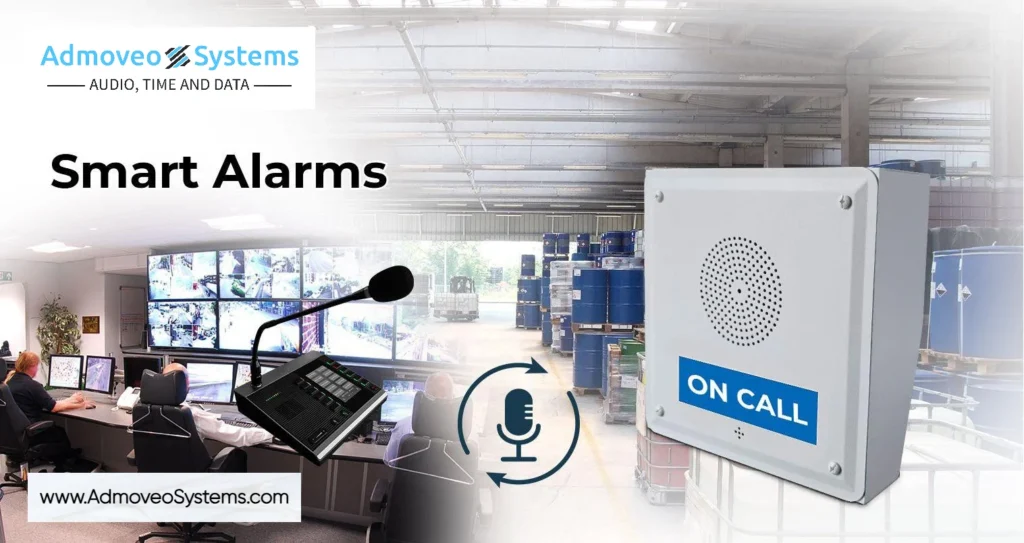
Paging microphones and consoles: Input devices that allow staff to make live voice announcements from offices, front desks, or security stations. This can be a microphone console, an APP on a PC or an APP on a SmartPhone.
Network switches: Hardware that connects multiple computers and devices together on the same network in a building. For these emergency systems, switches often need to supply power to devices over network cables (Power over Ethernet, or PoE). Having a battery backup (UPS, or Uninterruptible Power Supply) is important so the system keeps working if the main power goes out.
Live Voice Announcements
When conditions change rapidly—say, a fire blocking the usual exit route—pre-recorded messages can’t adapt. Live voice capability lets administrators speak directly to impacted areas:
- A principal can direct students to alternate exits.
- A security officer is able to provide real-time updates during a changing situation.
- A facility manager can give specific instructions for a localized incident.
Modern systems support priority override, meaning an emergency announcement automatically interrupts background music, routine paging, or other audio.
Pre-Recorded Emergency Messages
For common emergencies, pre-recorded messages guarantee consistency and compliance even when staff are under extreme stress. Typical audio files include:
- Fire evacuation instructions
- Lockdown procedures
- Shelter-in-place directions
- Severe weather warnings
- All-clear announcements
- Routine drill notifications
These messages can be stacked. This means an attention tone plays first, followed by the voice instruction, then a repeated reminder. Timing and priority levels are adjustable. Pre-recorded content additionally ensures ADA-friendly language and consistent expression to meet local safety requirements.
Zoning and Specific Delivery
Speakers are organized into logical groups or zones: “Elementary Building A,” “Gymnasium,” “Parking Lot C,” “Warehouse Floor 2,” and so on. This zoning allows alerts to target specific areas:
- A lockdown in one building while adjacent buildings continue normal operations
- Weather warnings only for outdoor zones
- Evacuation messages to specific floors
When an alert triggers, the system records exact timestamps, the initiator’s identity, and which zones received the message—supporting compliance documentation and after-action review.
Network-Based Architecture
Legacy 70V analog paging systems require dedicated amplifiers and extensive speaker wiring. In contrast, IP-based systems run on standard network infrastructure.
- PoE speakers draw power and data over a single Ethernet cable, eliminating the requirement for separate power and data circuits.
- Wi-Fi speakers connect wirelessly, ideal for portable classrooms, outdoor areas, or historic buildings where running cable is difficult.
- Each speaker can be monitored, adjusted, and rebooted remotely from a web interface.
This architecture dramatically simplifies expansion. Adding speakers to a new wing or leased space only requires network drops. There is no need to rewire the entire facility.
Key Features of ModernEmergency Notification Systems
Organizations want emergency notification systems that activate quickly, deliver clear audio, provide reliable coverage, and are easy to use each day. The most important features connect directly to safety outcomes. How quickly can you reach people? How clearly will they hear instructions? How confidently can staff operate the system under pressure?
Admoveo on premise focuses on PoE and Wi-Fi speaker performance, live voice quality, and reliable pre-recorded playback—the fundamentals that determine whether a system actually works when needed. We use Singlewire for communication to phones and other notification points.
Live Voice and Pre-Recorded Emergency Messages
Live voice paging from a handset, desktop console, or wall microphone gives administrators immediate communication to all or selected zones. This function is essential when:
- Conditions are changing faster than pre-recorded messages can address
- Specific instructions are needed for a unique situation.
- Coordination between buildings requires live communication.
Pre-recorded messages address common scenarios with tested, compliant language to ensure consistency even under pressure.
|
|
Fire evacuation | “Attention. A fire emergency has been reported. Please evacuate the building using the nearest safe exit. Do not use elevators.” |
Lockdown | “Lockdown. Lockdown. Move to the nearest secure room. Lock doors, turn off lights, remain silent.” |
Shelter-in-place | “Attention. Please shelter in place. Remain inside the building and away from windows. Await further instructions.” |
All-clear | “All clear. The emergency has been resolved. You may resume normal activities.” |
Systems should support message stacking—an attention tone, followed by voice instruction, followed by repeated reminder—with adjustable schedules and priority levels.
Live Voice and Pre-Recorded Emergency Messages
Effective zoning separates speakers into logical groups matching your physical layout and business needs:
- Individual classrooms or offices
- Building wings or floors
- Entire buildings
- Outdoor areas (playgrounds, parking lots, courtyards)
- Multi-site districts or campuses
This granularity matters in real scenarios. During a gas leak in one building, you might order an evacuation there while directing adjacent buildings to shelter in place with windows closed. A weather warning might target only outdoor zones plus buildings with large glass exposure.
PoE and Wi-Fi architectures make expansion easy. When a district acquires a building or a business opens a warehouse, integration occurs through network configuration rather than a complete overhaul.
Admoveo helps design zone layers based on floor plans and occupancy patterns, ensuring logical groupings that align with how your organization actually operates.
Multi-Zone, Multi-Building Coverage
Effective zoning separates speakers into logical groups matching your physical layout and business needs:
- Individual classrooms or offices
- Building wings or floors
- Entire buildings
- Outdoor areas (playgrounds, parking lots, courtyards)
- Multi-site districts or campuses
This granularity matters in real scenarios. During a gas leak in one building, you might order an evacuation there while directing adjacent buildings to shelter in place with windows closed. A weather warning might target only outdoor zones plus buildings with large glass exposure.
PoE and Wi-Fi architectures make expansion easy. When a district acquires a building or a business opens a warehouse, integration occurs through network configuration rather than a complete overhaul.
Admoveo helps design zone layers based on floor plans and occupancy patterns, ensuring logical groupings that align with how your organization actually operates.
Network-Based PoE and Wi-Fi Speakers
PoE (Power over Ethernet) speakers are specialized speakers that receive both electrical power and audio data over a single Ethernet cable. They form the core of modern emergency notification systems:
- Single cable delivers both power and audio data.
- Remote monitoring shows speaker status, volume levels, and faults.
- Gain adjustments and reboots are performed via a web interface.
- No dependency on a central 70V amplifier
Wi-Fi speakers extend coverage where Ethernet isn’t available:
- Portable classrooms and temporary structures
- Outdoor courtyards and athletic fields
- Historic buildings with preservation restrictions
- Areas where trenching or cabling is cost-prohibitive
Both indoor and outdoor models come with appropriate enclosures and IP ratings for their environments. Outdoor speakers need weather resistance; warehouse speakers need durability and high output to overcome machinery noise.

Integrations and Automation
The most effective systems don’t operate in isolation. Integration alongside existing infrastructure creates automated replies:
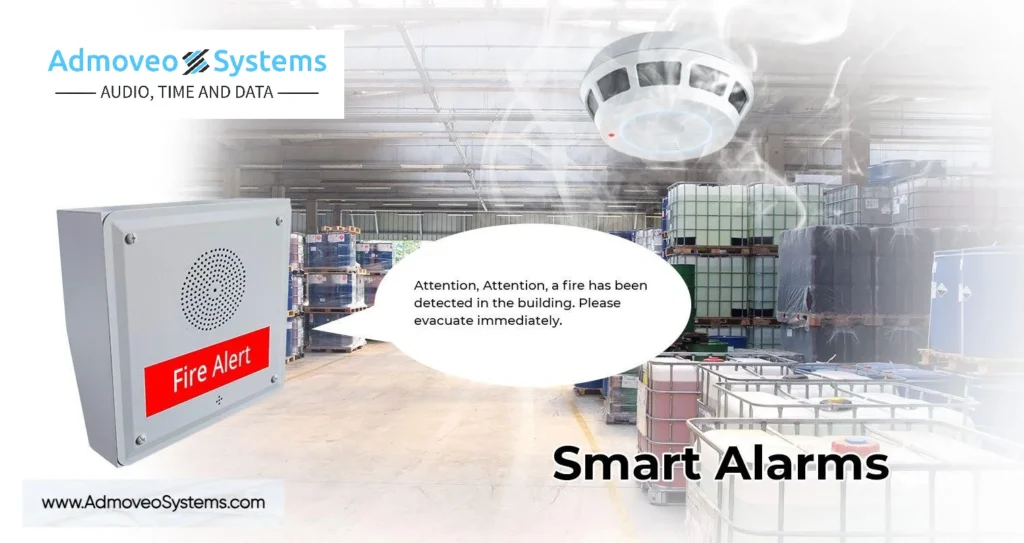
- Fire alarm panels: When an alarm activates, the notification system automatically plays evacuation messages in impacted zones
- Access control systems: A security breach triggers lockdown announcements
- Building management systems: HVAC alerts can trigger shelter-in-place messages
- IP phone systems: SIP integration enables one-touch announcements from Cisco, Avaya, Mitel, or similar platforms
Bell scheduling and time-of-day tones for schools and manufacturing shift changes can run from the same platform, consolidating what might otherwise require separate systems.
Monitoring, Redundancy, and Reliability
Emergency notification must work during the worst moments—power outages, network interruptions, or equipment failures. Key reliability features include:
Speaker health monitoring: Dashboard views showing online/offline status for every device, with automatic fault alerts when speakers go silent or degrade.
Power backup: UPS-powered network switches and controllers keep PoE speakers operational during short-term power outages (typically 30-60 minutes, depending on UPS sizing).
Redundant trigger paths: At minimum, two ways to initiate alerts—web console plus dedicated hardware button, phone code, or mobile app—so a single point of failure can’t prevent communication.
Failover capability: For multi-site organizations, redundant controllers at separate locations guarantee system availability even if one site loses connectivity.
Admoveo’s design process includes reviewing network layout and power backup to identify and tackle potential failure points before installation.
Benefits of an Emergency Notification System for Organizations
The core benefits are straightforward: faster response during emergencies, better coordination between staff and first responders, reduced confusion among building occupants, support for regulatory compliance, and peace of mind for leadership. But the specific value varies by organization type and situation.
Safety and Incident Outcomes
Seconds matter in critical events. During active shooter situations, tornado warnings, chemical spills, or nearby police activity, clear audio directions can:
- Reduce bottlenecks at exits by directing people to alternate routes.
- Prevent people from moving toward danger they can’t see
- Reduce panic through calm, authoritative instruction
- Enable faster coordination with first responders.
Example: A manufacturing plant in the Midwest uses its PA-based notification system to evacuate workers within 2-3 minutes of detecting a hazardous leak. Previously, relying on supervisors to spread the word verbally took 8-10 minutes and left some areas unreached. A faster response time directly reduces exposure risk and the risk of injury.
Studies of campus implementations show evacuation times dropping from 5 minutes to under 45 seconds—an 85% improvement—when clear audio announcements replace informal communication chains.
Business Continuity and Reduced Downtime
Emergencies don’t just threaten safety—they interrupt operations. Rapid communication enables organizations recover faster from:
- Power outages requiring building closure or relocation
- A water main break floods parts of a facility.
- Cybersecurity incidents requiring network isolation
- Weather events requiring schedule changes
Example: A distribution center uses overhead speakers to immediately re-route trucks and staff after a loading dock incident. In the absence of a clear announcement capability, confusion and radio chatter extended comparable incidents by 2-3 hours. With direct audio communication, operations resume in under 30 minutes.
Universities use these systems to quickly shift classes online or move students to alternate spaces after building issues—reducing disruption to academic schedules and supporting business continuity.
Regulatory Compliance and Duty of Care
Organizations face various requirements depending on their sector and location:
- OSHA’s general duty clause requires employers to provide workplaces free from recognized hazards
- NFPA 72 addresses emergency communications systems in commercial and institutional buildings
- State school safety mandates (accelerating since 2018) often require specific notification capabilities.
- Local fire codes may require voice evacuation systems in certain building types.
Even though specific requirements vary, the underlying principle is consistent: organizations are expected to have a way to quickly warn and direct people during emergencies.
Logging and reporting features support incident documentation for regulators, insurers, and internal safety committees. When an auditor asks, “What happened during last month’s evacuation drill?”, you have timestamped records of exactly what messages played, when, and in which zones.
Day-to-Day Communications and Multi-Use Value
These systems aren’t only for rare crises. Daily use cases include:
- Class bells and schedule tones
- Morning announcements
- Shift change notifications
- Safety reminders
- Lost child/parent pages in retail or event venues
- Building closure notices
- Event coordination announcements
Example: Schools use the same speakers for bells, morning announcements, and emergency drills. The system earns its investment through everyday use while remaining ready for critical communications when needed.
In offices and warehouses, routine paging for staff location, meeting reminders, and operational updates keeps the system familiar to occupants—so when a real emergency occurs, they can identify and respond to alerts immediately.
Admoveo designs systems to serve both routine communication and emergency use without impairing either function.
Emergency Notification Systems for Different Environments
Requirements differ greatly between a small elementary school, a large university campus, a high-noise warehouse, and a secure government facility. Each environment provides unique challenges for coverage, audio intelligibility, and operational workflow.
K-12 Schools and Districts
Common needs: Lockdowns, fire drills, weather alerts (tornadoes, hurricanes, snow day announcements), amber alerts, and coverage for playgrounds, bus loops, and parking areas.
Typical design:
- PoE ceiling speakers in classrooms and corridors
- Horn speakers outdoors for playgrounds and athletic fields
- Desktop or wall-mounted paging consoles in main offices
- Integration with bell scheduling for class changes
Example: A mid-sized school district is commissioning a district-wide IP PA system in 2025 that ties together elementary, middle, and high schools via a shared network. Administrators at the central office can send alerts to all buildings simultaneously, while principals retain control over their individual campuses.
Key considerations:
- Parent communication via SMS/email complements but doesn’t replace in-building audio.
- Simple user interfaces so principals and front-office staff can initiate alerts in seconds under stress
- Coverage for portable classrooms and temporary structures (Wi-Fi speakers)
- Integration alongside existing intercom systems during transition periods
- Visitor screening to quickly identify visitors against watchlists and improve security protocols, especially during emergencies
Universities and College Campuses
Complexities: Open campuses with residence halls, academic buildings, stadiums, parking structures, research labs, and outdoor commons spread across large geographic areas.
Typical design:
- PoE speakers in residence hall corridors and common areas
- Ceiling speakers in lecture halls and student centers
- Outdoor horn speakers for plazas and walkways
- Wi-Fi speakers for remote locations
Example: A state university uses IP speakers plus coordinated text and email alerts to manage shelter-in-place instructions during a nearby chemical plant incident. Students in residence halls receive both audio announcements and push notifications, while outdoor speakers reach those crossing campus.
Key considerations:
- Zoning by building and area, so campus police can tailor live alerts to impacted zones
- Integration alongside existing blue-light phones and campus safety mobile app
- Coordination with outdoor sirens where present
- Coverage for parking structures with a poor cellular signal (where text messages may not reach)
Live Voice and Pre-Recorded Emergency Messages
Effective zoning separates speakers into logical groups matching your physical layout and business needs:
- Individual classrooms or offices
- Building wings or floors
- Entire buildings
- Outdoor areas (playgrounds, parking lots, courtyards)
- Multi-site districts or campuses
This granularity matters in real scenarios. During a gas leak in one building, you might order an evacuation there while directing adjacent buildings to shelter in place with windows closed. A weather warning might target only outdoor zones plus buildings with large glass exposure.
PoE and Wi-Fi architectures make expansion easy. When a district acquires a building or a business opens a warehouse, integration occurs through network configuration rather than a complete overhaul.
Admoveo helps design zone layers based on floor plans and occupancy patterns, ensuring logical groupings that align with how your organization actually operates.
Network-Based PoE and Wi-Fi Speakers
PoE (Power over Ethernet) speakers are specialized speakers that receive both electrical power and audio data over a single Ethernet cable. They form the core of modern emergency notification systems:
- Single cable delivers both power and audio data.
- Remote monitoring shows speaker status, volume levels, and faults.
- Gain adjustments and reboots are performed via a web interface.
- No dependency on a central 70V amplifier
Wi-Fi speakers extend coverage where Ethernet isn’t available:
- Portable classrooms and temporary structures
- Outdoor courtyards and athletic fields
- Historic buildings with preservation restrictions
- Areas where trenching or cabling is cost-prohibitive
Both indoor and outdoor models come with appropriate enclosures and IP ratings for their environments. Outdoor speakers need weather resistance; warehouse speakers need durability and high output to overcome machinery noise.

Businesses, Warehouses, and Industrial Sites
Challenges: Machinery noise, large open spaces, dock areas with trucks and forklifts, production lines with hearing protection requirements, and multi-shift operations.
Typical design:
- Rugged, high-output horn and Wi-Fi or PoE speakers for warehouse floors and loading docks
- Ceiling speakers for offices and breakrooms
- Outdoor speakers for yards and parking areas
- Visual alerting (strobes) for high-noise areas where audio alone is insufficient
Example: In 2024, a logistics center deployed PoE horn speakers to reach forklift operators and outdoor yard staff during storm warnings. The high-output speakers overcome ambient noise from equipment and HVAC systems that rendered previous announcements unintelligible.
Key considerations:
- Integration with access control and intrusion systems for lockdown announcements
- Coordination with chemical spill and hazmat protocols
- Clear audibility around moving equipment to prevent accidents
- Support for multi-language announcements inside diverse workforces
Government Buildings and Municipal Facilities
Scope: City halls, courthouses, public works yards, emergency operations centers, and community facilities with varying security profiles.
Typical design:
- Systems handling everything from storm closures to security incidents to public meeting announcements
- Integration with access control and security cameras
- Outdoor speakers at public works depots and fleet yards.
Example: A county emergency management agency uses an IP-based PA plus outdoor speakers at public works depots to mobilize crews for snow or flood response. The same system handles routine announcements and coordinates with the county’s emergency operations center during major events. Through integration with FEMA’s national system, such as the Integrated Public Alert and Warning System (IPAWS), the agency can send integrated public alerts and EAS alerts. IPAWS permits simultaneous alerts across multiple channels, including NOAA weather radios, guaranteeing comprehensive coverage during emergencies.
Key considerations:
- Government facilities may need to interface with FEMA’s national system, such as the Integrated Public Alert and Warning System (IPAWS), to send integrated public alerts and EAS alerts during a national emergency. This enables swift dissemination of information, including the president’s ability to address the nation within minutes.
- Integration with sirens, radio systems, and alerting authorities’ channels like IPAWS for the national public warning system
- Reliability and security meet public sector accountability requirements.
- Logs for public records and incident documentation
- Support for local alerting coordination with police, fire, and emergency management
Planning and Designing an Emergency Notification System
Effective systems result from deliberate planning, not ad-hoc equipment purchases. A systematic approach secures you get the right coverage, the right features, and a system that staff can actually operate under pressure.
Admoveo’s process is geared toward helping customers receive the perfect PA speaker system for their specific emergency notifications—not just selling equipment, but solving communication problems.
Assessing Risks and Requirements
Start with a hazard and vulnerability analysis appropriate to your environment:
Geographic and weather risks:
- Tornado frequency (Midwest, Southeast)
- Hurricane exposure (coastal areas)
- Earthquake zones (West Coast, New Madrid)
- Flood-prone areas
Operational risks:
- Industrial processes with chemical or fire hazards
- Public-facing facilities with security concerns
- Medical facilities with patient evacuation challenges
- Schools and universities with at-risk populations
Regulatory requirements checklist:
- [ ] OSHA workplace safety requirements
- [ ] NFPA 72 emergency communications provisions
- [ ] State school safety mandates
- [ ] Local fire code voice evacuation requirements
- [ ] Insurance stipulations
- [ ] District/company safety policies
Coverage requirements:
- Who must be reached? (students, employees, visitors, contractors)
- Where are they located? (offices, classrooms, parking lots, outdoor areas)
- How fast must alerts reach them? (immediate for life safety, minutes for weather)
- What special needs exist? (multilingual announcements, high-noise areas, ADA compliance)
Coverage Mapping and Device Selection
Create floor-by-floor and site-wide maps identifying every occupied area requiring audio coverage. Account for:
- Normal occupancy patterns throughout the day
- Seasonal variations (outdoor spaces are used more in warm months)
- Special events with unusual crowd distributions
- Areas with ambient noise that affect intelligibility
Typical device mix by area:
Offices, classrooms | Ceiling speakers, wall baffles |
Corridors, lobbies | Ceiling or wall speakers |
Gymnasiums, cafeterias | High-output ceiling speakers or horn arrays |
Warehouses, production floors | Horn speakers, projector speakers |
Playgrounds, athletic fields | Outdoor horn speakers, pole-mounted arrays |
Parking lots, courtyards | Outdoor pole or wall-mounted speakers |
In high-noise environments like gyms and production lines, SPL (sound pressure level) and speech intelligibility calculations help ensure announcements are heard and understood.
Network, Power, and Redundancy Considerations
Network planning:
- PoE switch capacity: Each speaker draws 10-25W, depending on model; calculate total load per switch
- VLANs: Separate voice/paging traffic for quality of service and security
- Wi-Fi coverage: Signal quality verification where wireless speakers are planned
- Bandwidth: IP audio typically requires 64-256 kbps for each stream
Power backup:
- UPS sizing for network closets: 30-60 minutes of runtime for short outages
- Generator integration for extended events
- Battery backup for critical controllers
Redundancy options:
- Redundant controllers at separate locations
- Multiple trigger paths (web console, phone code, hardware button)
- Failover between primary and backup systems
- Cellular backup for WAN connectivity
The partnership among IT, facilities, and safety teams ensures that design decisions support both cybersecurity requirements and life-safety goals.
Testing, Drills, and Continuous Improvement
Commissioning tests verify:
- Every speaker operates correctly.
- Zone routing matches design intent.
- Volume levels provide adequate coverage without distortion.
- Integration triggers function as expected
- Pre-recorded messages play correctly.
Frequent drills should:
- Familiarize staff and students with tones and instructions.
- Test both the recorded and live message capabilities.
- Exercise different emergency scenarios (fire, lockdown, weather)
- Include feedback gathering from participants.
Documentation and procedures:
- Written procedures for initiating common alerts
- Quick-reference cards at key locations
- Training for all staff who may need to trigger alerts
- Annual refresher training
After drills or real incidents, review logs and participant feedback to adjust messages, volumes, and zone definitions. Continuous improvement is part of maintaining an effective warning system.
Choosing the Right Emergency Notification System Provider
Technology specifications matter, but service, support, and long-term partnership are equally critical. A system is only as good as its implementation, and implementation quality depends on the provider’s skill and devotion.
Evaluating Technology and Architecture
Verify IP-based design: Systems should support PoE and Wi-Fi speakers with modern network architecture, not legacy analog amplifiers with IP gateways bolted on.
Ask for intelligibility guarantees: Wattage alone doesn’t guarantee clear audio. Request sample layouts or coverage calculations for spaces similar to yours.
Confirm compatibility:
- Network switches (PoE capacity, VLAN support)
- IP phone systems (SIP integration)
- Fire alarm panels (contact closures, monitoring)
- Access control systems (triggers, automation)
Essential capabilities:
- Live voice and pre-recorded messages
- Multi-zone paging with flexible grouping
- Automated triggers from integrated systems
- Manual override for all automated functions
- Logging and reporting for compliance
Service, Support, and Training
The gap between a good product and a working system is filled by service:
Pre-sales design assistance: Does the provider help with coverage mapping, device selection, and zone planning—or just quote equipment lists?
Documentation: Are installation guides, user manuals, and quick-reference materials clear and complete?
Technical support: What are the response times for urgent issues? Is remote diagnostics available?
Training: Will staff be trained to operate the system confidently, including under emergency conditions?
Admoveo’s processes are built to guide customers from first idea to final commissioning with committed support—because nothing counts like service when you’re implementing a system that lives depend on.
Scalability and Total Cost of Ownership
Plan for growth: Additional buildings, new wings, or remote sites should integrate with the same platform without replacing core infrastructure.
Installation cost advantages: PoE and Wi-Fi architectures typically cost 30-40% less to install than traditional wired PA systems, as they eliminate separate electrical runs and reduce labor.
Ongoing costs to consider:
- Software licensing (if applicable)
- Maintenance contracts
- Hardware lifecycle (quality speakers last 10-15 years)
- Future expansion hardware
Daily value: A well-designed system provides value through routine paging, bells, and announcements—not just rare emergencies. Calculate ROI against total communication needs, not just crisis scenarios.
Implementing an Emergency Notification System with Admoveo
Admoveo works with schools, universities, businesses, and governments to design and support emergency notification systems customized for each organization’s specific environment and risks. Our approach stresses understanding your needs first, then recommending the right expandable solutions—not pushing predetermined packages.
Our Process: From First Call to First Drill
Discovery: We collect floor plans, discuss your risk profile, understand occupancy patterns, and inventory existing systems. What do you have now? What’s working, and what isn’t? What emergencies keep you up at night?
Design: Based on discovery, we propose speaker counts, zoning plans, PoE versus Wi-Fi placement, and integration points with your existing systems. You receive a clear layout showing exactly what goes where.
Coordination: We work with your installers, IT team, and security staff to ensure a clean deployment with minimal interruption. System setups, power requirements, and integration testing happen before go-live.
Configuration: Pre-recorded messages, zone groupings, user permissions, and automation rules are set up and tested. Staff receive training on both routine and emergency operations.
Follow-up: After the first drills, we help fine-tune volumes, adjust messages based on feedback, and guarantee everyone is confident with the system. Our support continues long after installation.
Scenario example: A 500-student K-12 school engaged Admoveo in January for an August installation. By spring, floor plans were analyzed and speaker placement designed. Summer construction included network infrastructure. The system was operational for teacher training in early August and tested during the first safety drill in September—on schedule and on budget.
Getting Started
If you’re considering an emergency notification system—whether for a 2026 project or further out—here’s how to prepare for productive conversations:
Gather information:
- Building drawings or floor plans (CAD files, PDFs, or even hand sketches)
- Inventory of any existing PA, intercom, or bell systems
- Network infrastructure overview (switches, cabling, PoE capability)
- List of primary contacts for safety, facilities, and IT
Define your goals:
- What emergencies are you most concerned about?
- What gaps exist in your current communication?
- What budget and timeline constraints apply?
- Are there construction or renovation projects to coordinate with?
Engage early: Even for projects planned for 2024-2027, early conversations help align system design with upcoming renovations, technology refresh cycles, or budget planning windows.
An emergency notification system isn’t just equipment—it’s an obligation to the safety of everyone in your buildings. The right system, properly designed and supported, gives you the tools to communicate clearly during natural disasters, health emergencies, security threats, and the routine moments in between.
Admoveo Systems combines PoE and Wi-Fi speaker expertise with a devotion to customer support that makes the difference between a box of equipment and a working safety solution. We help organizations receive alerts, send notifications, and react effectively when it matters most.
Ready to design an emergency notification system for your school, campus, business, or facility?
Contact Admoveo’s specialists to start the conversation. Bring your floor plans, your concerns, and your questions—we’ll help you find the right message for your organization’s safety needs.
Critical Events Addressed by Emergency Notification Systems
Emergency notification systems have been engineered to respond to a broad spectrum of critical events, making certain organizations can deliver important emergency information when it matters most. Whether facing severe weather events, active shooter situations, health emergencies, or even national emergencies, these systems provide a reliable way to keep people safe and informed.
A modern mass notification system uses multiple channels—such as mobile devices, desktop alerts, and voice calls—to rapidly and efficiently send alerts. This multi-channel approach ensures critical information reaches everyone, regardless of location or device. For example, during a tornado warning, a notification system can simultaneously broadcast alerts over PA speakers, send text messages to mobile devices, and push desktop alerts to computers, maximizing the likelihood that everyone receives the message in time.
Facilitating two-way communication is an additional major benefit. In active shooter situations or health emergencies, recipients’ ability to confirm reception or provide feedback may help authorities assess the situation and coordinate an effective response. This instantaneous exchange of information is vital for public safety threats, in which every second counts.
By integrating mass notification capabilities, organizations can address a wide range of emergencies, improve communication flow, and ensure the right message reaches the right people at the right time—ultimately preserving lives and reducing disorder during critical events.
Public Safety and Emergency Notification Systems
Public safety relies on robust emergency notification systems that can alert communities to imminent dangers and deliver clear, actionable information during emergencies. National systems like the Emergency Alert System (EAS) and NOAA Weather Radio are foundational components of the national public warning system, working together to deliver emergency alerts and warnings nationwide.
These systems are intended to offer real-time alerts for critical events, such as severe weather, hazardous-material incidents, and other public-safety threats. Through integrating with the National Weather Service and other existing systems, emergency notification platforms can automatically distribute accurate, timely information to local authorities and the public. This integration guarantees that emergency alerts are consistent, reliable, and reach as many people as possible.
Automated alerts and targeted communications further boost public safety through streamlining communication and decreasing the risk of misinformation. For instance, during a weather emergency, automated alerts can be triggered based on National Weather Service warnings, sending the right message to impacted areas without delay. Targeted communications allow authorities to focus notifications on specific zones or populations, improving response time and making certain that those most at risk receive the information they need to stay safe.
By using these advanced notification systems, communities can improve safety, support faster response, and ensure that emergency communications are clear, coordinated, and effective during any emergency situation.
Community Response and Emergency Notification Systems
Community response is core to effective emergency management, and emergency notification systems serve as vital tools for keeping people informed and safe during critical events. These systems enable organizations and local authorities to quickly send alerts and notifications, making sure that important emergency information reaches the community when it’s needed most.
A key feature of modern mass notification systems is their capability to facilitate two-way communication. This allows emergency responders and local authorities not only to send alerts but also to receive feedback from the public, helping them assess needs, confirm safety, and coordinate resources during crisis situations.
For example, during natural disasters such as hurricanes or wildfires, two-way communication enables residents to report their status and request assistance, thereby improving response time and effectiveness. Sustainable solutions ensure that emergency notification systems can adapt to the size and needs of any community, from small towns to large metropolitan areas.
By supporting multiple channels and integrating with local authorities, these systems help streamline communication, reduce confusion, and ensure that critical information—such as evacuation routes or shelter locations—reaches everyone who needs it.
Ultimately, emergency notification systems equip communities to respond more effectively to emergencies, protect public safety, and keep people aware and ready during any crisis.
Electronic Communication in Emergency Notification Systems
Digital communication has revolutionized emergency notification systems, permitting rapid, efficient delivery of critical information during emergencies. Mobile devices are now central to public safety, permitting organizations to send alerts, notifications, and immediate updates directly to individuals wherever they are.
Through text messages, mobile apps, and even satellite radio, emergency notification systems can reach a wide audience instantly. This digital approach not only ensures that alerts are received quickly but also supports two-way communication, allowing the public to respond to emergency messages and provide valuable information to first responders. For example, during a large-scale evacuation, people can use their mobile devices to confirm their status or report hazards, helping authorities coordinate a more effective response.
Electronic communication likewise enhances response time and overall safety by providing continuous information as situations evolve. Whether it’s a weather emergency, a public safety threat, or a health crisis, digital channels ensure that important emergency information is always accessible and up to date.
Through leveraging the power of electronic communication, emergency notification systems deliver timely, accurate messages that help save lives, improve public safety, and support a coordinated response to any emergency.