
Audio Intercom System
Key Takeaways
- Modern systems use Internet Protocol (IP), Wi-Fi, and Power over Ethernet (PoE) technologies to enable clear, dependable communication in schools, manufacturing plants, warehouses, and government buildings.
- Since 2012, Admoveo Systems has specialized in designing, installing, and supporting audio intercom solutions for schools, universities, industrial plants, and public facilities.
- Admoveo’s WiFi and IP-PoE speakers eliminate most cabling requirements, simplify installation in historical and hard-to-wire buildings, and reduce long-term maintenance costs.
- The same intercom infrastructure enables everyday paging, class change bells, warehouse announcements, and emergency or lockdown notifications.
- Choosing the right system—wired, wireless, or hybrid—depends on building layout, IT network capacity, safety requirements, and future expansion plans. With these factors in mind, knowing the basic features of a talkback speaker system is essential.
What is a Talkback Speaker System?
A Talkback Speaker System is a structured network of speakers that enables two-way or one-way voice communication across a facility. In contrast to traditional telephones, these systems function autonomously and can reach multiple locations simultaneously, making them necessary for schools, warehouses, manufacturing plants, and government buildings.
Grasping the fundamental parts helps you evaluate what your facility needs:
- Master console: The central control point where administrators initiate announcements, receive incoming calls, and manage zones.
- Room and door stations: Wall-mounted units with speakers and optional call buttons that allow two-way conversations
- Ceiling or wall speakers: Audio output devices distributed throughout the facility for announcements and paging
- Amplifiers or IP endpoints: Devices that boost audio signals or connect to the network and deliver sound to speakers.
- Software or controllers: Programs or devices that manage zone selection (choosing which speakers to use), scheduling, routing messages depending depending on urgency, and system monitoring.
The difference between simple analog “talk-back” systems and modern IP-based intercoms is significant. Traditional analog setups use dedicated wires from a main amplifier to each speaker, limiting flexibility. Modern IP intercoms operate on Ethernet and WiFi networks, allowing connection to existing IT infrastructure and making it easy to expand the system.
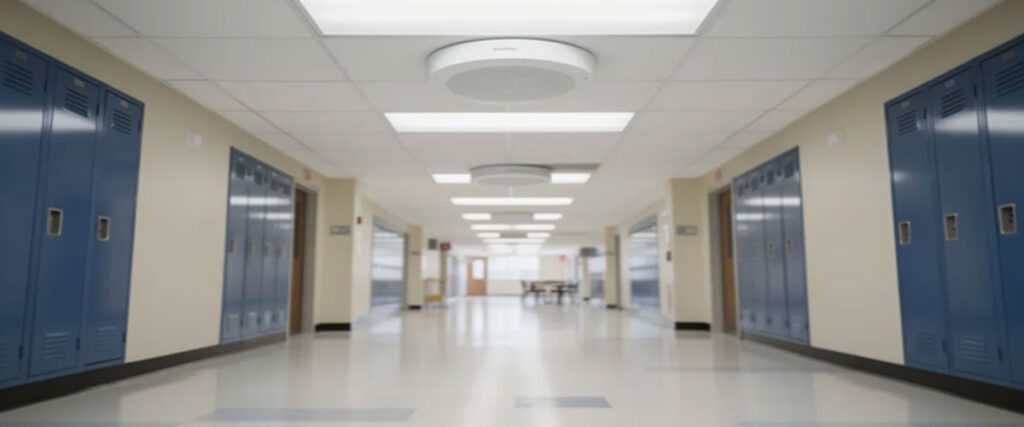
Admoveo Systems focuses on IP-based and wireless audio intercoms, though our team can also integrate with existing legacy analog systems when a phased upgrade makes more sense than a complete replacement. This adaptability is additionally demonstrated in how public address systems operate today.
How Public Address Systems Work
Users are designated as a dispatcher, enabling them to make live voice announcements over LAN, WiFi, or PoE to the appropriate speakers or stations. The process happens in milliseconds, enabling near-instantaneous communication across even the largest facilities.
Here’s the signal flow in straightforward terms:
- Microphone capture: A user can use a softphone app on a PC, the audio dispatch app on a smartphone, a microphone console, or an IP phone.
- Advanced Digital Audio: Advanced processors clean up the audio, reduce background noise, and optimize for speech clarity
- Network routing: Digital audio travels over your facility’s computer network (IP network) to the selected zones or individual sound devices.
- Speaker output: Built-in amplifiers in each communication device turn the digital audio signal back into audible sound.
This implementation improves how well messages cut through background noise in busy environments such as manufacturing floors and crowded school hallways.
Audio SIP software handles various vital functions:
Zoning | Group speakers by area for targeted announcements |
Priority management | Emergency messages override routine paging |
Scheduling | Automate class bells, shift change alerts, or daily announcements |
Logging | Record system activity for compliance and troubleshooting |
Admoveo’s IP-PoE and WiFi speakers are self-contained endpoints. They receive audio and control commands directly from the network, eliminating the requirement for distinct amplifiers in a central equipment room. This architecture simplifies installation and reduces points of failure.
Types of PA Systems
IP Intercom Systems
IP (Internet Protocol) intercom endpoints connect directly to your existing Ethernet network, which is the standard wired network for computers. These devices use SIP/VoIP (Session Initiation Protocol/VoIP) to work with phone systems and management software. A single PoE (Power over Ethernet) cable sends both power and data to each unit, making installation simple.
WiFi Audio Intercom and PA Speakers
WiFi speakers connect via secure wireless networks, making them perfect where running cable is difficult or prohibited. Historical campuses with preservation restrictions, large warehouses with minimal structured cabling, and multi-building sites all benefit from this pliability.
One-Way vs. Two-Way Communication
Grasping this difference is essential:
- One-way paging: Announcements flow from the office to speakers (no response capability)
- Two-way intercom: Full duplex conversation between rooms and the central office, enabling back-and-forth communication
Admoveo Systems’ Audio Intercom Systems
Since 2012, Admoveo Systems has delivered communication systems for education, manufacturing, and government clients, offering leading expertise in intercom design, installation, and support.
Admoveo specializes in IP-PoE and Wi-Fi-based systems that support paging, talk-back, and emergency tones on a single platform. This flexible strategy means you invest in one system that handles multiple communication needs.
Our core product line includes:
- IP-PoE speakers that draw power and data from a single Ethernet cable
- WiFi speakers for locations where cabling is impractical or prohibited
- Paging controllers and management software for centralized administration
- Intercom speakers with built-in microphones for two-way communication
- Interface modules for integrating legacy analog equipment
Our product line provides crystal-clear audio for clear speech, ensuring intelligible audio in gymnasiums, warehouses, or production areas with challenging acoustics.
Our design philosophy prioritizes:
- Minimizing field wiring through IP and wireless technologies
- Making use of the standard IT infrastructure that your team already manages
- Centralizing configuration for easier administration
- Enabling remote diagnostics and firmware updates allows staff to fix issues and update software without going on-site.
Admoveo’s team provides end-to-end support from initial needs analysis through system design drawings, phased deployment, staff training, and long-term technical assistance. We’re devoted to creating raving fans through quality offerings and outstanding service.
The central hub of the intercom system, called the base station, manages connections and signals between units. Understanding the technology behind Admoveo’s WiFi and IP-PoE speakers spotlights their advantages.
WiFi and IP-PoE Speakers: Core Technologies
Admoveo’s WiFi and IP-PoE (Power over Ethernet) speakers are all-in-one communication devices with built-in amplifiers, network connections, and optional microphones. You don’t need separate equipment rooms filled with amplifiers and control panels.
IP-PoE Speakers
Power over Ethernet (PoE) technology delivers both electrical power and network data over a single standard network cable (Category 5 or 6). If you are building new spaces or renovating with new network wiring, IP-PoE speakers make installation simple and reliable.
- No separate power outlets required at speaker locations
- Lower labor expenses compared to running both the network and the electrical lines
- Centralized power management through PoE switches
- Easy troubleshooting since fewer components are involved
WiFi Speakers
Wireless intercom systems provide unrivaled flexibility and clarity for communication in changing settings.
WiFi speakers connect via your existing wireless network, making them the ideal solution for:
- Historical buildings: Century-old schools with plaster walls, stone construction, or preservation restrictions that prohibit drilling and conduit installation
- Brick warehouses: Older industrial buildings with limited cable trays and challenging cable paths
- Multi-tenant campuses: Government facilities where running cable between buildings requires expensive permits or infrastructure work
- Temporary structures: Portable classrooms, construction site offices, or seasonal facilities
Key Benefits of Both Technologies
Reduced cabling cost | Eliminate expensive home-run wiring to each speaker |
Scalability | Add speakers without running new cable infrastructure |
Remote configuration | Adjust zones, volumes, and settings from any network-connected device |
Easy re-zoning | Reconfigure coverage as buildings change use without physical rewiring |
Future-proof | Software updates add functionality without hardware replacement |
Key Use Cases for Intercom Systems
The same intercom platform can support daily operations and life-safety communications across multiple verticals. This dual-purpose functionality delivers significant value because you don’t have to preserve separate systems for routine announcements and emergency messaging.
School PA and Intercom Systems
Schools rely on audio intercoms for:
- Morning announcements and end-of-day reminders
- Classroom call buttons that connect teachers to the front office
- Automated class change tones and bell schedules
- Assembly coordination and event announcements
- District-wide emergency alerts in lockdown situations or severe weather
- An intercom system improves safety by permitting users to verify visitors and remotely unlock doors.
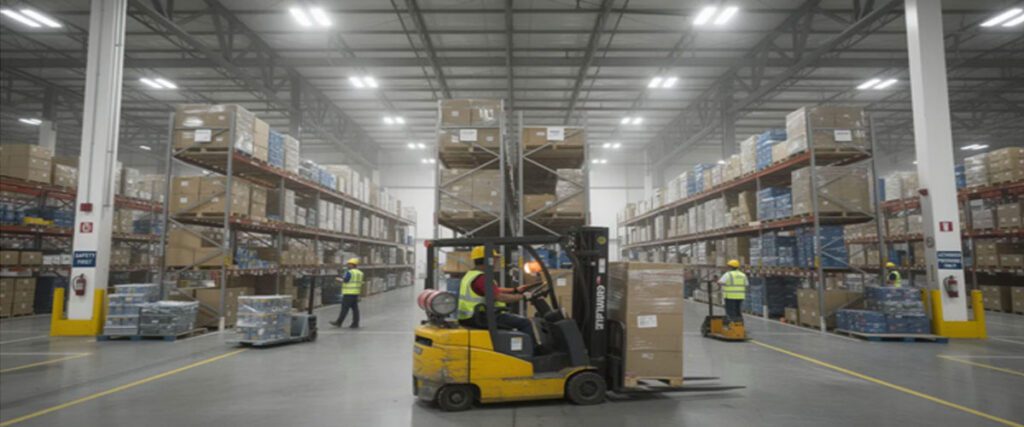
Warehouse Paging Systems
Distribution centers and logistics departments use paging for:
- Zone-based announcements directing workers to specific areas
- Order-picking instructions broadcast to relevant sections
- Dock door calls coordinate truck loading and unloading.
- Safety reminders and operational updates without requiring personal devices
- Shipping and receiving operations are enhanced by an intercom system that allows visitors to engage via a door-station button, sending a signal to an indoor unit.
Manufacturing Emergency Systems
Intercom systems are utilized in commercial environments to improve communication and security.
Industrial plants need robust emergency communication for:
- Plant-wide evacuation messages that reach every corner of the facility
- Shelter-in-place instructions during hazardous material incidents
- Localized alarms for specific production areas or hazardous zones
- Integration with sensors, control rooms, and safety monitoring systems
School Emergency Systems
Beyond daily operations, K-12 and university campuses require:
- Lockdown announcements with clear, priority-overriding audio
- Severe weather alerts are reaching indoor and outdoor spaces.
- Coordination with access control systems and mass notification platforms
- Dependable communication even when network traffic spikes during incidents
Admoveo designs systems so that everyday paging and emergency messaging share the same reliable hardware. When a crisis occurs, emergency audio takes priority automatically—no manual switching required.
Vandal-proofing outdoor IP intercoms improves their sturdiness and security by protecting them against tampering and damage. These outdoor intercoms offer audio, including video functions, advancing communication lucidity and security by enabling visual verification of visitors.
Visitor screening through intercom systems allows users to verify identity before granting access.
Applications in K-12 Schools and Universities
K-12 schools have specific requirements that differ from other facilities:
- A two-way classroom intercom permits teachers to request assistance.
- Front office to room calling for student dismissals or messages
- Bell schedules are synchronized across all buildings.
- Integration with clock systems and security cameras
Universities add complexity with:
- Multi-building campus paging spanning academic buildings, residence halls, and athletic facilities
- Stadium and arena announcements for events
- Lecture hall reinforcement for large spaces with challenging acoustics
- Residence hall intercoms for visitor entry
Admoveo has supported K-12 and higher education customers since 2012, helping districts modernize from analog systems to IP-based platforms. Common projects include retrofitting a 1950s high school with WiFi speakers to avoid disturbing original architecture, or adding coverage to portable classrooms that weren’t part of the Audio Paging System campus infrastructure.

Applications in Manufacturing, Warehouses, and Government
Manufacturing environments implement particular obstacles:
- High ambient noise from machinery requires speakers with sufficient power.
- Wide open floor plans spanning tens of thousands of square feet
- Moving equipment and security procedures demand hands-free audio
- Clear voice and tones that must carry across long distances
Warehouse operations similarly need:
- Fast-moving logistics where delays cost money
- Forklift traffic is creating safety concerns that paging can address
- Hands-free communication is essential since workers often carry products or operate equipment.
- Durability within settings featuring temperature variations and dust
Government and municipal facilities include:
- Multi-building campuses with courthouses, administrative offices, and public works facilities
- Emergency operations centers require dependable communication.
- Public works garages coordinating fleet management and field crews
Admoveo’s wireless and IP-PoE speakers enable coverage where pulling new cable would be expensive or disruptive to ongoing operations. A warehouse can add speakers to a new wing in hours rather than days.
Designing a System for Your Facility
A successful project starts with a structured design process rather than selecting hardware from a catalog. The right system for your neighbor’s facility may not match your specific requirements.
Planning Steps
|
|
Site survey | Walk the facility to identify speaker locations, call station placements, and potential challenges |
Acoustic assessment | Measure ambient noise levels, identify reverberant spaces, and plan speaker coverage accordingly |
Network review | Evaluate PoE switch capacity, WiFi access point coverage, and available bandwidth |
Safety requirement analysis | Document emergency communication codes, lockdown procedures, and integration needs |
Zoning Considerations
Effective zoning separates your facility into logical groups:
- Classrooms are grouped by wing or grade level.
- Offices are separated from production areas.
- Loading docks are isolated from quiet administrative spaces.
- Outdoor areas in independent zones
This solution provides targeted announcements without disrupting unrelated areas.
Integration Points
Modern audio systems rarely operate in isolation. Consider how your system will connect with:
- Existing phone system: SIP/VoIP compatibility enables call routing between intercoms and desk phones
- Fire alarm panel: Emergency messages can trigger automatically during fire events
- Access control: Door stations can integrate with electronic locks and visitor management
- Mass notification platforms: Campus-wide alerts coordinate across multiple communication channels
Admoveo’s team works together with facility managers, IT directors, and safety officers to translate business needs into a detailed intercom design. We find that this teamwork-based approach surfaces requirements that might otherwise be missed until after installation.
Wired, Wireless, or Combined Architecture
Choosing the right architecture depends on a number of factors:
Favor IP-PoE wired speakers when:
- Building new construction with modern structured cabling
- Renovating floors where cable installation is already planned
- Working in high-security areas where wireless is restricted by policy
Choose WiFi speakers when:
- Historical buildings have plaster, stone, or brick walls that prohibit cable runs.
- Warehouses lack a structured cabling infrastructure.
- Temporary or modular buildings need flexible solutions.
Deploy integrated systems when:
- Core buildings have PoE infrastructure, but outbuildings don’t
- Different areas have different security or reliability requirements.
- Budget constraints require step-by-step deployment.
Admoveo recommends combinations based on your budget, building age, and long-term expansion plans rather than forcing a single architecture. This flexible tactic secures you get the right solution, not just the easiest one for us to install.
Benefits of a Modern Audio System
Modern IP and Wi-Fi intercom systems outperform legacy analog equipment in terms of flexibility, sound quality, and total cost of ownership. Getting to know these benefits helps justify the investment to stakeholders.
Operational Benefits
- Increased clarity in communication: Digital processing and optimized frequency range for speech intelligibility
- Faster incident response: Priority routing ensures emergency messages arrive at everyone immediately
- Fewer missed messages: Consistent volume and clarity even in noisy environments
- Two-way functionality: Staff can respond and acknowledge the message of critical information
IT and Maintenance Advantages
- Centralized management: Control all units from a single interface
- Remote troubleshooting: Diagnose problems without dispatching a technician
- Firmware updates: Add features and safety updates across the entire system
- Device health monitoring: Identify failing speakers before they go silent
Admoveo focuses on quality, reliability, and maintenance-free operation. Our products are designed to be easy to install and simple to use, maintaining prolonged customer satisfaction.
How to Choose the Right Audio Intercom Partner
Vendor experience in your specific sector is highly important. Schools have different safety codes than manufacturing plants, and government facilities have unique security requirements. A partner with relevant experience handles these differences efficiently.
Evaluation Criteria
When comparing potential partners, consider:
- Design expertise: Can they create a custom solution, or do they only sell off-the-shelf packages?
- Support capabilities: What happens when something stops working at 7 AM on a school day?
- References: Can they provide contacts at similar facilities?
- Integration experience: Have they connected intercoms to your specific phone system, access control system, or fire panel?
Admoveo Systems brings over a decade of focused experience across small single-building projects and multi-site district deployments. Our project management will ensure all the details are covered.
If you’re considering upgrading a legacy analog intercom or designing a new system, contact Admoveo for a facility review. Check out our website or email our team to discuss your specific requirements and learn how modern audio intercom technology can improve your communication infrastructure.
FAQ
What is the difference between an audio intercom system and a simple PA system?
A PA system is typically one-way, broadcasting announcements from a central point to speakers throughout a facility. An intercom system supports two-way conversations, permitting users at room stations to call the office and receive responses. Intercom systems also offer more advanced zoning, emergency priority control, and integration with other building systems, such as access control and fire alarms.
Can an IP or WiFi audio intercom work if my main network goes down?
Many modern systems can be designed with dedicated VLANs, backup controllers, or local failover modes that keep critical paging and emergency messaging operational during broader IT outages. Some IP-PoE speakers include local storage for pre-recorded emergency messages that play even without network connectivity. During the design phase, discuss redundancy options with your integration partner to ensure your protection against network failures meets your safety requirements.
Will WiFi speakers be reliable in large warehouses or metal buildings?
Reliability depends entirely on the strength of the WiFi signal. This includes strategic access point placement. When the WiFi signal is not available, and PoE cabling is available, WiFi and PoE speakers are used where wireless coverage is inconsistent.
How long does it typically take to deploy an intercom system in a school or plant?
A single building with straightforward requirements might take a few weeks from design through installation. A multi-site school district or a large industrial campus could take longer, especially if work must occur outside class hours or during production shifts. Network readiness greatly affects timelines—if your PoE switches and WiFi infrastructure are already in place, installation proceeds faster than if that infrastructure must be added first.